AI character generator: design a character, star it in your music video
Tapemoon is a free AI character generator: describe an original character, pick one of six styles, then star the same face in every scene of your music video.
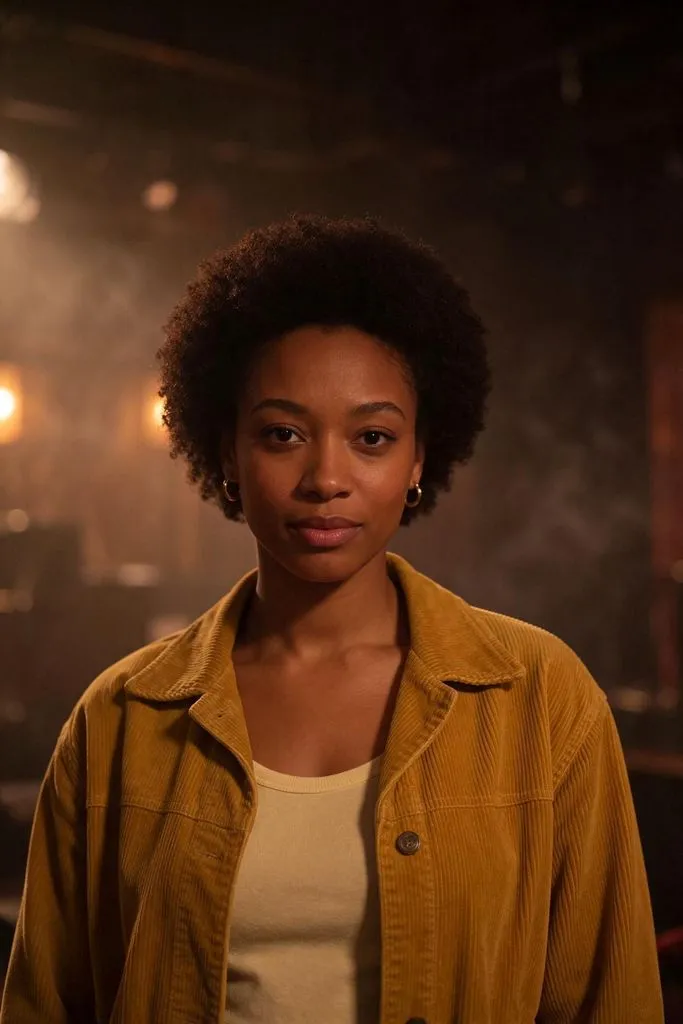 Example · Cinematic
Characters from this AI character generator
Each one came from the words shown with it, in one try, with no edits. Pick one to start from.
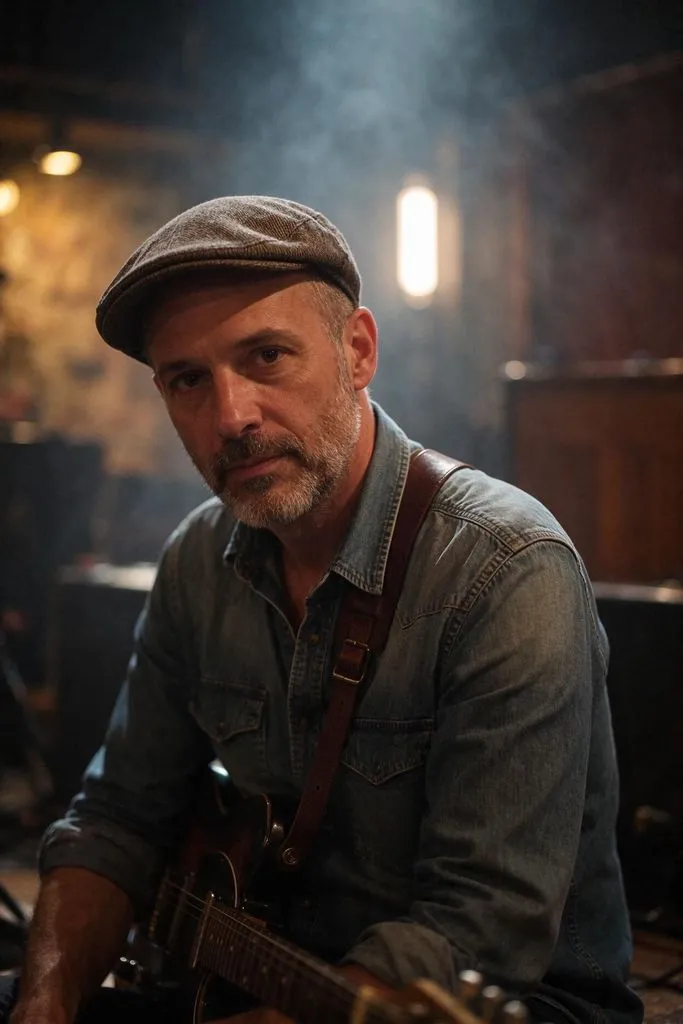 Cinematic
Typed: a man in his forties, a weathered blues guitarist with a salt-and-pepper beard, flat cap and a worn denim shirt
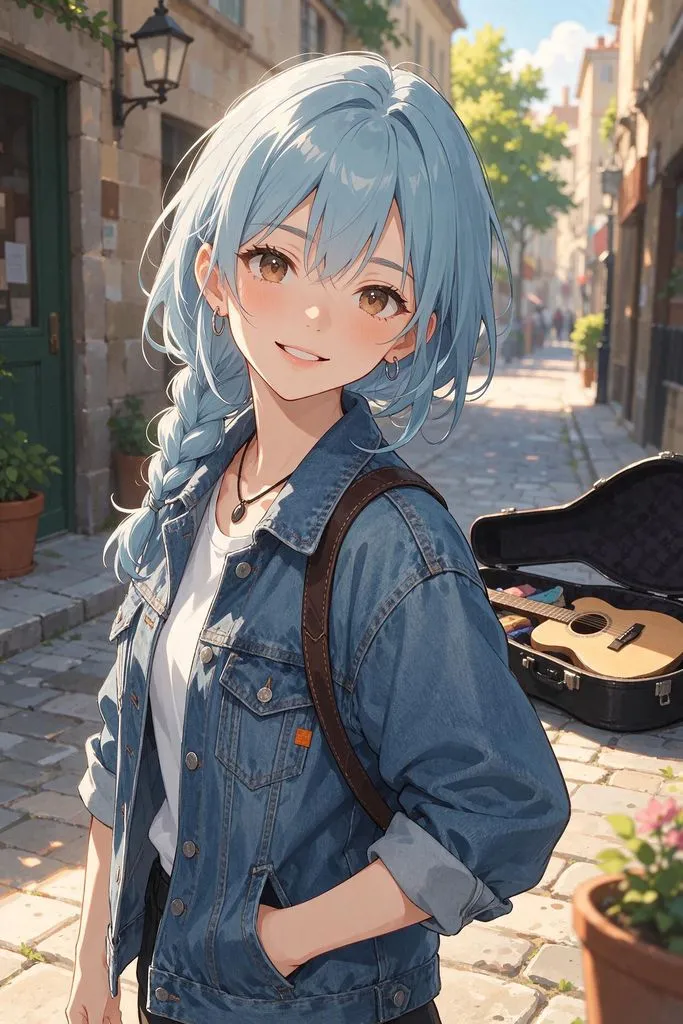 Anime
Typed: a cheerful street musician in her twenties with pastel blue hair, oversized denim jacket and silver hoops
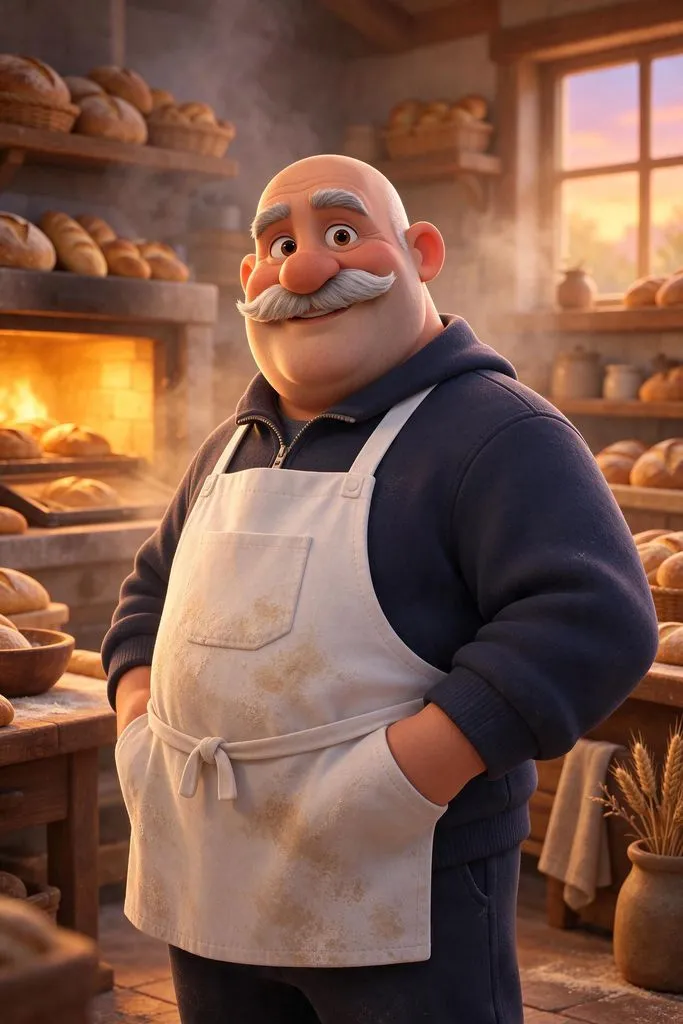 3D Animation
Typed: a friendly baker turned rapper in his fifties, bald, big grey moustache, flour-dusted apron over a tracksuit
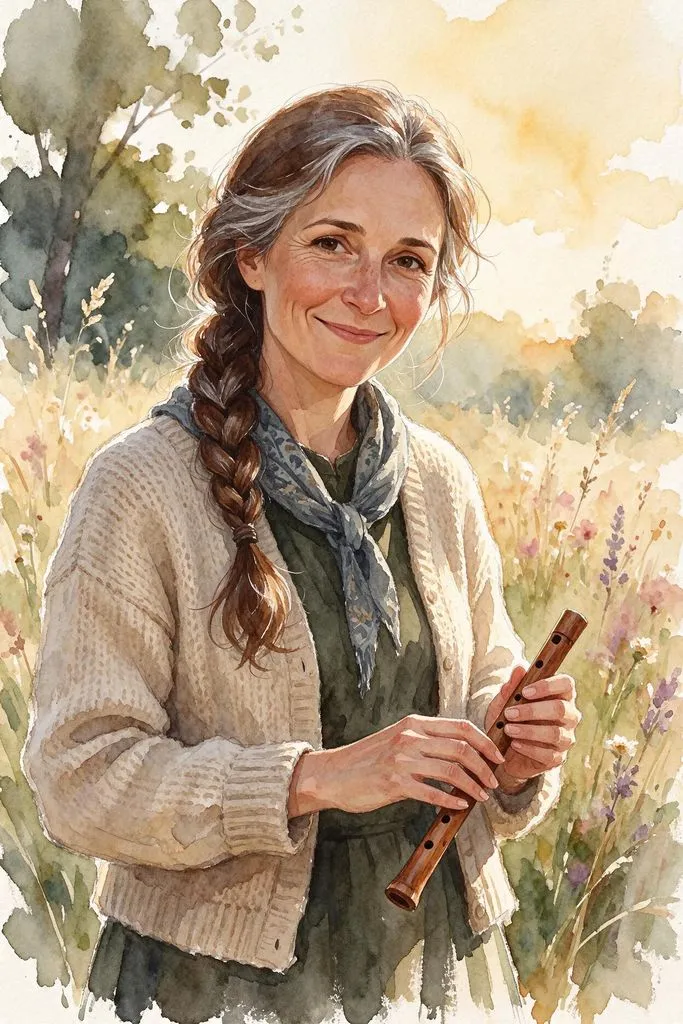 Watercolor
Typed: a folk singer in her forties with long braided silver-streaked hair, a knitted cardigan and a small wooden flute
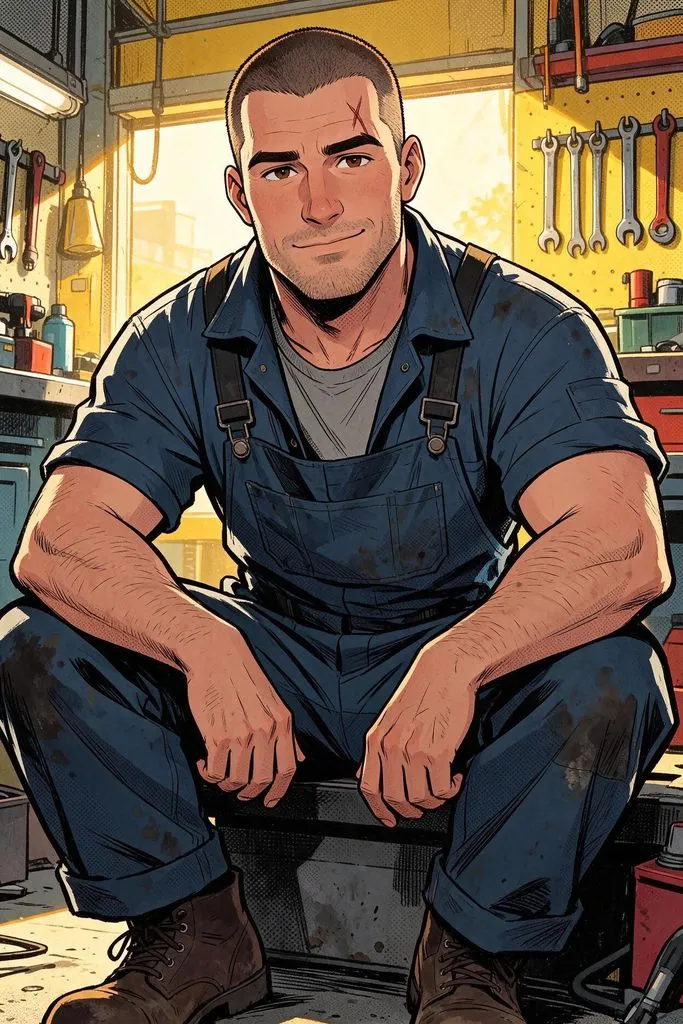 Comic
Typed: a tough but kind mechanic in his thirties with a buzz cut, scar over one eyebrow and oil-stained overalls
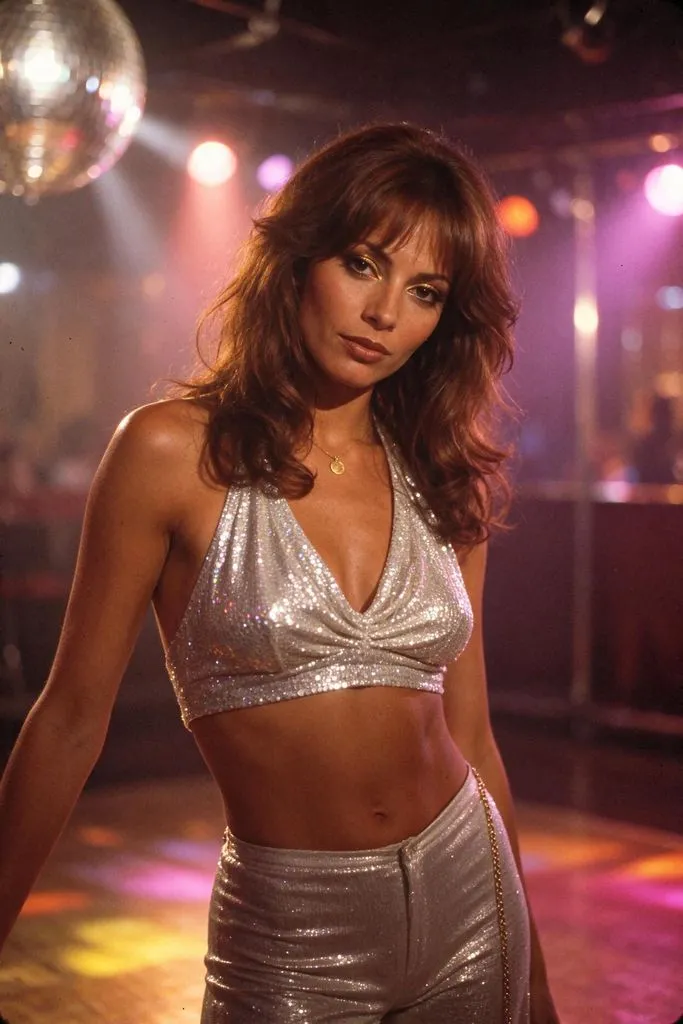 Retro Film
Typed: a 1970s disco queen in her thirties with big feathered hair, a sequined halter top and gold eyeshadow
What is an AI character generator?
An AI character generator draws an original character from a written description: who they are, their age, hair, clothes and the art style. Tapemoon’s AI character generator saves the character so the same face can lead every scene of the video you make from your song, instead of a new stranger in each one.
How do you make a character with AI?
Three steps, about half a minute for each picture.
- Describe your characterWrite who they are in a sentence or two: age, look, hair, clothes, one detail that makes them theirs. Or tap traits such as woman or man, age, hair and outfit, with no typing at all.
- Pick a style and generateChoose cinematic, anime, 3D animation, watercolor, comic or retro film. One press makes one picture for 1 credit, usually in under 30 seconds.
- Save it, edit it, star itSave the character and give it a name. Change the outfit or hair with a few words, then press “Star this character in a music video” and add your song.
One character, the whole music video
Most character makers stop at the picture. This one keeps going.
Save characters you can reuse
Saved characters live in My characters with their name and description. Reuse the same one as often as you like.
Edit with words, keep the face
Type “change her jacket to red leather” or “add round glasses”. The edit keeps the same face and leaves the rest alone; in our tests the face held through three edits in a row. 1 credit an edit.
The lead of your music video
Pick a saved character as the main character when you make a video. Its picture is the reference for every scene, so the singer in the chorus is the one from the first verse.
Six styles, one look
The generator draws in the same six styles Tapemoon’s videos use, and a character drawn in anime leads an anime video, so the look never clashes.
Tapemoon AI character creator at a glance
- What it is
- An AI character creator that draws an original character from your words and saves it for your music videos
- Input
- A written description, or trait chips (who, age, hair, hair color, outfit), plus one of six styles
- Each press
- One portrait picture of one character, usually ready in under 30 seconds
- Styles
- Cinematic, anime, 3D animation, watercolor, comic, retro film
- Cost
- 1 credit a picture, made or edited. A picture that fails or is refused gives the credit back
- Free use
- New accounts get 15 credits: up to 5 character pictures, with 8 credits kept for a free music video preview
- Download
- Free: 1024 px, no watermark. Any credit pack or plan: full size (1248 × 1872)
- Storage
- Saved characters stay in My characters. Pictures you don’t save are deleted after 30 days
- Price
- Credit packs from $23 (240 credits), or monthly plans from $19. See pricing
- Where it runs
- In the browser on a computer or a phone, nothing to install
How to describe a character to an AI
Specific beats pretty. These details give the generator a character to draw instead of a stock face.
- Start with who and how old“A man in his forties” or “a woman in her late twenties” sets the face better than “young and attractive”.
- Give them a job or a role“A blues guitarist”, “a baker turned rapper”, “a neon-city DJ”: a role brings its own clothes, props and attitude.
- Name one signature pieceA mustard corduroy jacket, aviator sunglasses, a red pixie cut. One clear item is what makes them recognizable in every scene.
- Let the style picker do the styleSkip “anime style” or “photorealistic” in the text. Pick the style below the box, and spend your words on the character.
Is this AI character generator right for you?
Best for
- Musicians and AI song makers who want one face to carry a whole video
- Original characters for a story, a band persona or a channel mascot
- Trying a character in a few looks before you build on it
Not for
- Real people, celebrities or famous characters from films and games: originals only
- Children or teens: every character is an adult
- Character sheets with front, side and back views
Know before you start
- Pictures are portraits, usually waist-up and facing the camera, not full body
- From scene to scene, the face, hair and outfit stay close to the picture, but not every frame is identical
AI character generator, an AI chat or drawing it yourself?
| AI character generator | A general AI chat (ChatGPT, Gemini) | Drawing it or hiring an artist | |
|---|---|---|---|
| What you get | A saved character you can edit and reuse in every scene | A good picture, but a new face each time you ask again | Exactly the character you imagine, in any pose |
| Best when | You want one character to come back in many scenes | You want a single image for a post | The character is a long-term brand or a book |
| Not ideal when | You need turnarounds or exact poses | You need the same face across a video | You need it today, or for a few dollars |
AI character generator FAQ
Is this AI character generator free?
Yes, to start. New accounts get 15 free credits and a character picture costs 1, so you can make up to 5 pictures and still keep 8 credits for a free music video preview. After that, credits come from a pack or a plan.
Is an AI character generator the same as an AI character creator?
Yes, people use both names, and AI character maker too, for a tool that draws a character from a description. Tapemoon’s AI character creator also saves the character so it can lead your music videos.
Can I keep my character looking the same?
Yes. Save it, and every edit and every video starts from that picture instead of a new description. Edits keep the face, and from scene to scene the face, hair and outfit stay close to the picture.
Can I make anime characters?
Yes. Anime is one of six styles, next to 3D animation, comic, watercolor, cinematic and retro film. Pick it in the generator, below the description box.
Can I turn my character into a music video?
Yes, that’s what it’s for. Press “Star this character in a music video”, add your song, and the AI music video generator makes every scene with your character as the lead, in the character’s style.
Can I change my character after it’s made?
Yes. Press Edit and type the change, such as a new outfit, hair color or setting. You see before and after, and keep the new one as a separate character or in place of the saved one.
Can I use the characters commercially?
Characters you make are yours under our Terms. Commercial use comes with any credit pack or plan, and so does the full-size download.
Can I make a character of a real person?
No. The generator only makes original characters, so it turns down real people, celebrities and well-known fictional characters. Describe someone new instead; you weren’t charged for a refused description.
Do I need to sign up to use the AI character generator?
You can fill in the form without an account. Generating needs a free account, because the free credits and your saved characters belong to it; your description waits for you while you sign in.